All Video Share stores its global settings in the component’s Options. Every setting on this page applies site-wide, and can be overridden per menu item or per module where the same option is offered there.
Check the below steps to configure All Video Share:
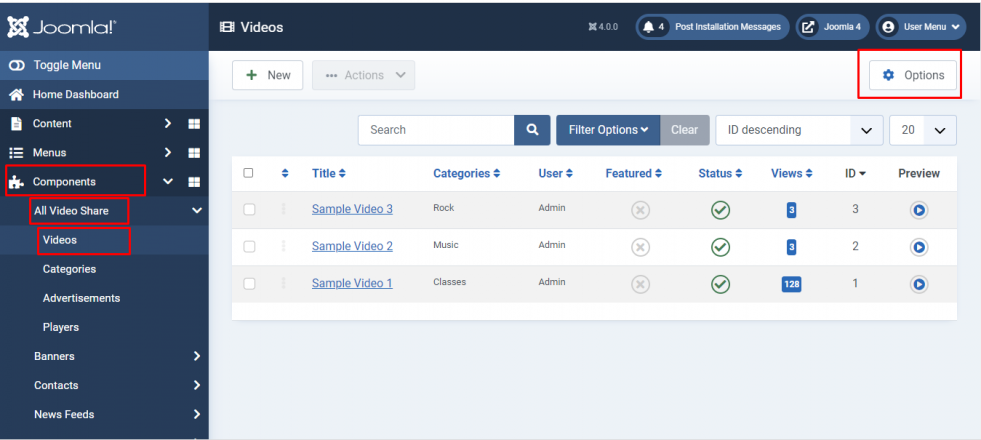
Login to your Joomla backend
Select Components –> All Video Share –> Videos
Here at the right top, you will have the Options button. Please click it
The Options screen is divided into these tabs: General, Player, Single Video Page, Front-end Video Form, SEO, API Keys, Licensing, Custom CSS and Permissions. Each is described below.
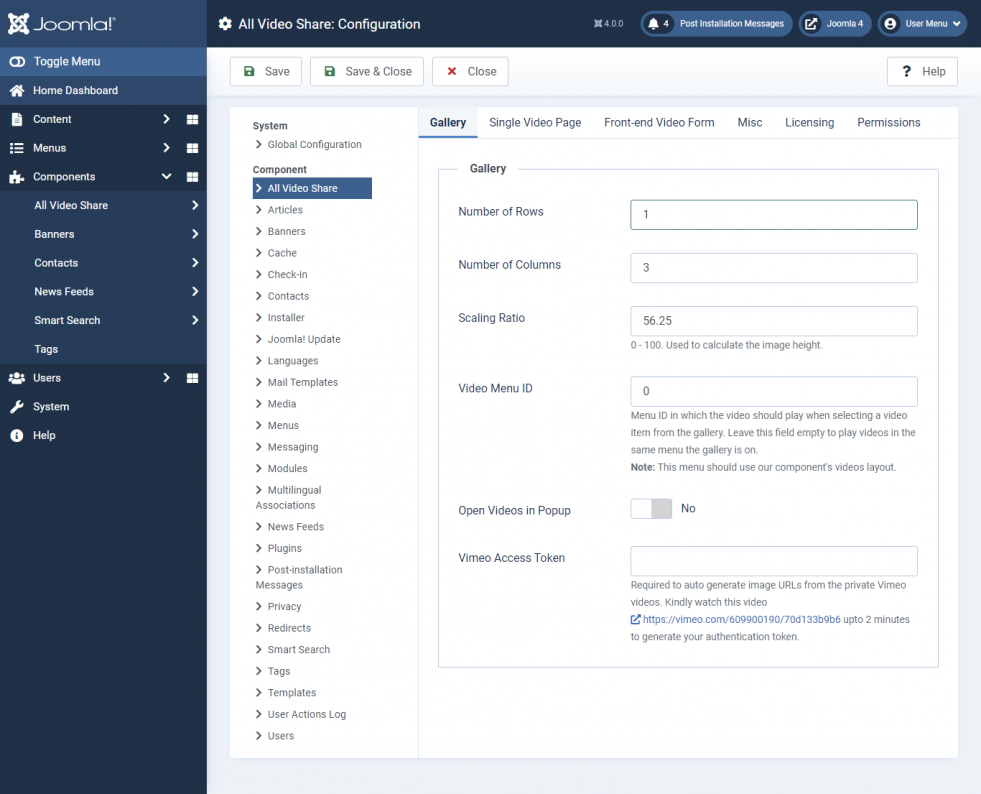
General — Gallery Settings:
These options control how your categories and videos are laid out in the front-end gallery.
Properties
Description
Default
Number of Rows
Count of video rows in the front-end gallery view of the component.
3
Number of Columns
Count of video columns in the front-end gallery view of the component.
3
Image Height (Ratio)
Thumbnail height, as a percentage of its width. 56.25 gives a 16:9 thumbnail, 75 gives 4:3.
56.25
Default Image
Image used when a video or category has no image of its own.
—
Title Length
Maximum number of characters of the title to show. Leave empty to show the full title.
—
Short Description
Show or hide a short description under each video.
Show
Short Description Length
Maximum number of characters of the short description.
100
Category Name
Show or hide the category name on each gallery item.
Show
Author Name
Show or hide the name of the user who added the video.
Hide
Date Added
Show or hide the date the video was added.
Hide
Videos Count
Show or hide the number of videos in each category.
Show
Views Count
Show or hide the view count on each video.
Hide
Open Videos in Popup
Play the video in a popup instead of opening the single video page.
No
Show Unauthorized Items
List videos and categories the visitor is not allowed to view. Selecting one shows a login message instead of the video.
Yes
General — Ratings:
Properties
Description
Default
Ratings
Allow visitors to give each video a star rating.
No
Guest User Ratings
Allow visitors who are not logged in to rate videos. Their rating is tracked by session.
Yes
General — Likes / Dislikes:
Properties
Description
Default
Likes / Dislikes
Show like and dislike buttons on each video.
No
Guest User Likes / Dislikes
Allow visitors who are not logged in to like or dislike videos. Their vote is tracked by session.
Yes
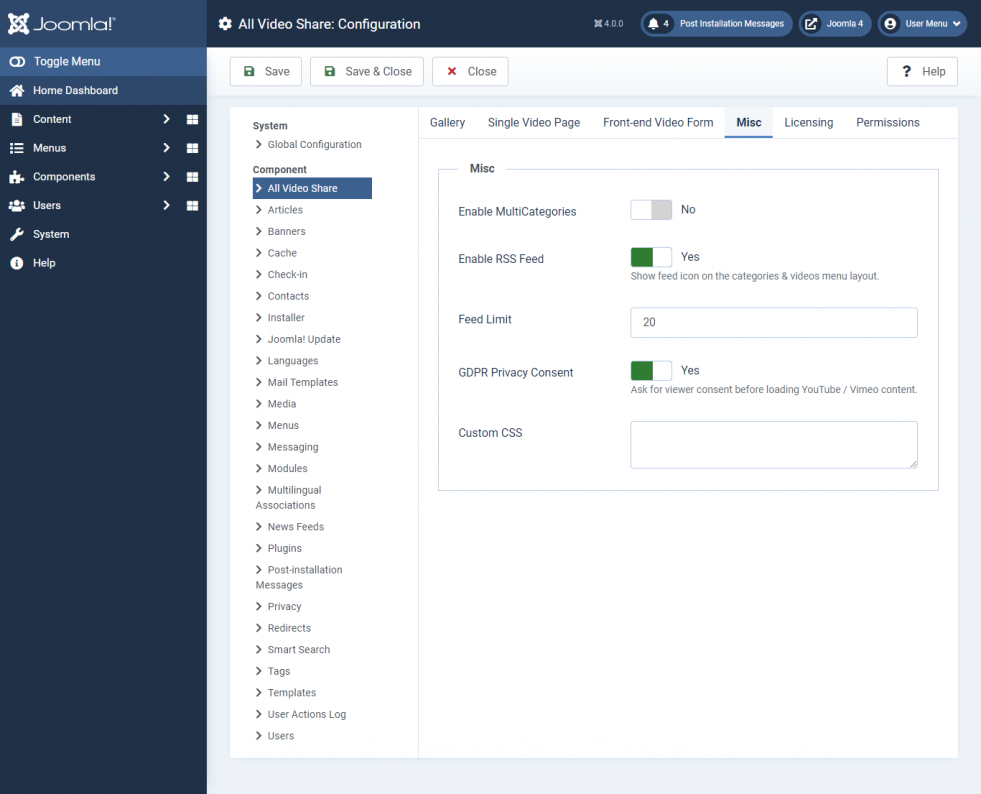
General — RSS Feed:
Properties
Description
Default
RSS Feed
Show a feed icon on the categories and videos menu layouts, and publish an RSS feed for them.
No
Feed Icon
Your own icon image for the feed link. Leave empty to use the default icon.
—
Feed Limit
Number of videos to include in the feed.
20
General — Misc Settings:
Properties
Description
Default
Enable Multi-Categories
Allow a video to be assigned to more than one category.
No
Player — Options:
Properties
Description
Default
Player Width
Maximum width of the player, in pixels. Leave empty to scale to 100% of its enclosing container.
—
Player Height (Ratio)
Player height, as a percentage of its width. 56.25 gives a 16:9 player.
56.25
Autoplay
Start playing as soon as the page loads. Most browsers only allow this when the player is also muted.
No
Loop
Restart the video automatically when it finishes.
No
Initial Volume Level
Volume the player starts at, from 0 to 100.
50
Muted
Start the video with the sound off.
No
Keyboard Controls
Let visitors control the player with keyboard shortcuts.
No
GDPR Privacy Consent
Ask for the viewer’s consent before loading YouTube, Vimeo or other third-party content.
No
Player — Controls:
These options choose which buttons appear in the player’s control bar. They apply to self-hosted, HLS and MPEG-DASH videos. YouTube and Vimeo videos use their own controls.
Properties
Description
Default
Controlbar
Show or hide the whole control bar.
Show
Center Play Button
Large play button in the middle of the video.
Show
Rewind Button
Skip backwards.
Hide
Play/Pause Button
Play and pause button in the control bar.
Show
Fast Forward Button
Skip forwards.
Hide
Progress Bar
Seek bar showing the playback position.
Show
CurrentTime
Time elapsed.
Show
Duration
Total length of the video.
Show
Volume Control
Mute button and volume slider.
Show
Captions
Subtitle button. Only appears when the video has caption files.
Show
Quality Switcher
Lets the viewer choose a quality level. Needs an HD source, or an HLS / MPEG-DASH stream.
Show
Speed Control
Playback speed menu.
Hide
Picture-in-Picture Button
Pop the video out into a floating window.
Hide
Download Button
Let viewers download the video file.
Hide
Fullscreen Button
Expand the player to fullscreen.
Show
Embed Button
Show the embed code for the video.
Hide
Share Button
Social sharing buttons.
Hide
Player — Advertisements:
Video advertisements play on self-hosted, HLS and MPEG-DASH videos only. They are not available on YouTube, Vimeo or third-party embedded videos, because those play inside the provider’s own player.
Properties
Description
Default
Source Type
Choose Custom Ads to use the advertisements you created inside All Video Share, or VAST/VPAID to serve ads from an external ad server.
Custom Ads
Preroll Ads
Play an advertisement before the video starts. Shown when Source Type is Custom Ads.
Yes
Postroll Ads
Play an advertisement after the video ends. Shown when Source Type is Custom Ads.
No
Ad Tag URL
Your VAST or VMAP ad tag URL. Shown when Source Type is VAST/VPAID.
—
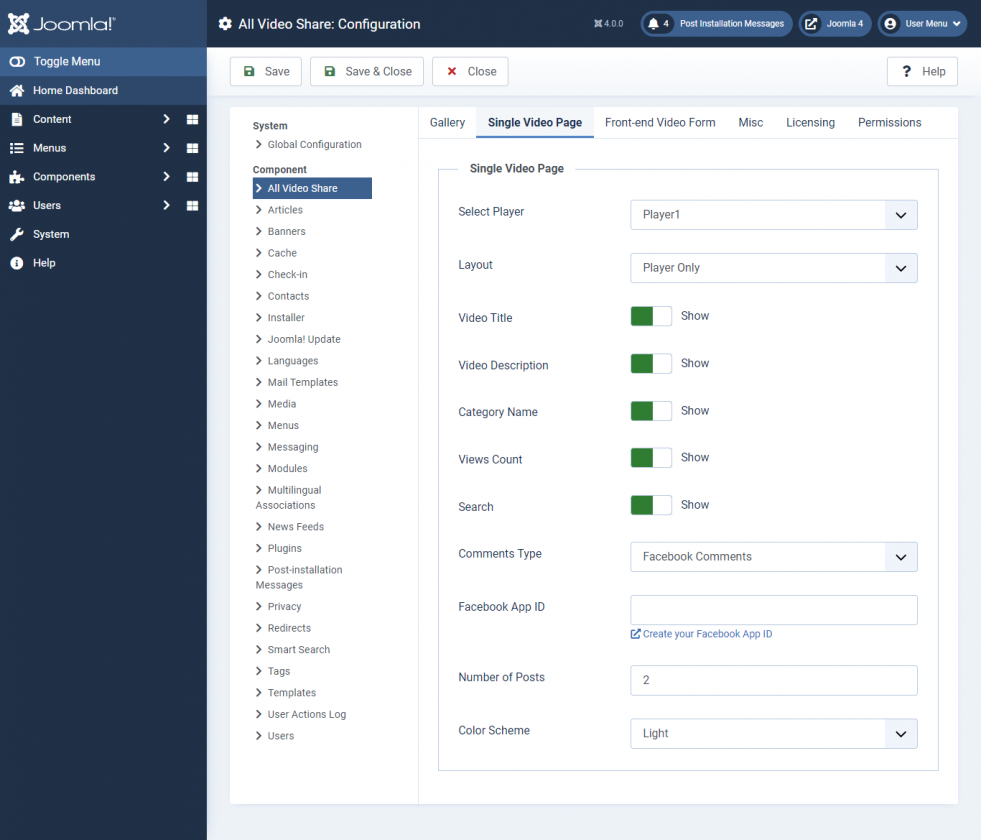
Single Video Page Settings:
Properties
Description
Default
Video Title
Show or hide the video title on the single video page.
Show
Video Description
Show or hide the video description on the single video page.
Show
Search Form
Show or hide the search box on the single video page.
Show
Related Videos
Properties
Description
Default
Related Videos
Show or hide a list of related videos beneath the player.
Show
Number of Rows
Rows of related videos. Leave empty to use the gallery setting.
—
Number of Columns
Columns of related videos. Leave empty to use the gallery setting.
—
Order By
How the related videos are sorted — latest, latest by date, title, most viewed, top rated, most liked, random, or manual ordering.
None
Comments
Properties
Description
Default
Comments Type
Choose your comments integration: None, Facebook, Komento or JLex Comment.
None
Facebook App ID
Your Facebook App ID. Shown when Comments Type is Facebook.
—
Number of Posts
How many comments to display. Shown when Comments Type is Facebook.
5
Color Scheme
Light or dark theme for the comments box. Shown when Comments Type is Facebook.
Light
Frontend Video Form:
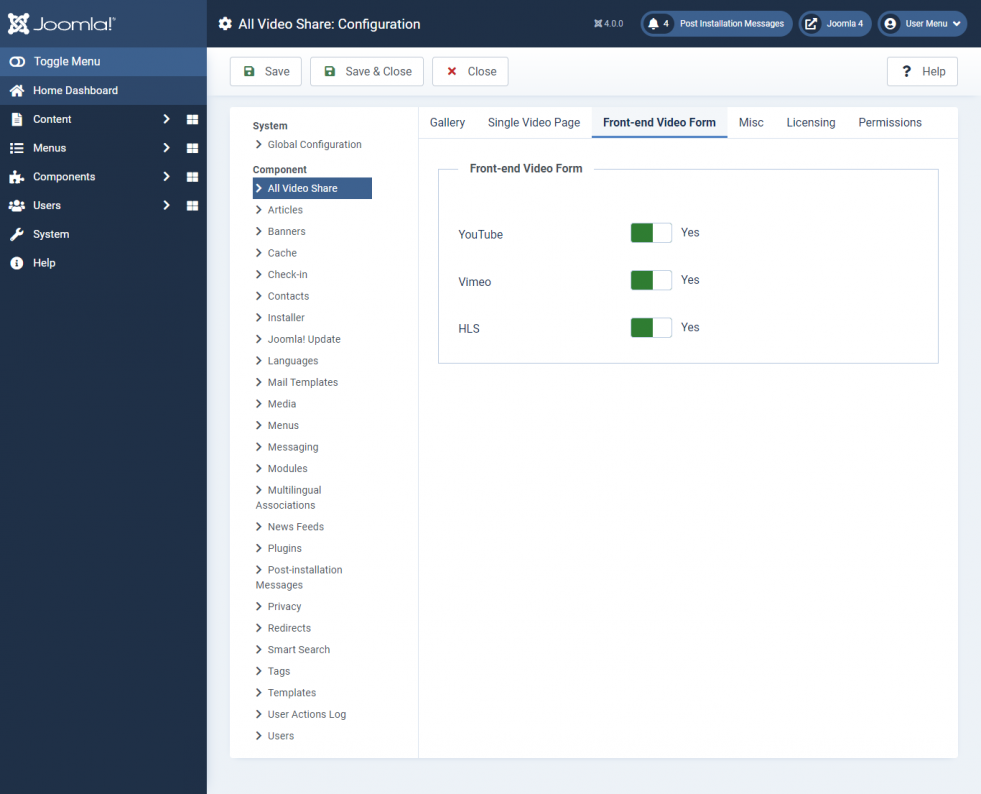
These options choose which video sources your users may add when they submit a video from the front end. Self-hosted uploads are always allowed.
Properties
Description
Default
YouTube
Allow users to add a video by YouTube URL.
No
Vimeo
Allow users to add a video by Vimeo URL.
No
HTTP Streaming
Allow users to add an HLS or MPEG-DASH stream URL.
No
SEO:
Properties
Description
Default
Category Menu
The menu item that category links are built against. Leave on Auto to let All Video Share pick the best match.
Auto
Video Menu
The menu item that video links are built against. Leave on Auto to let All Video Share pick the best match.
Required to generate image URLs automatically from private Vimeo videos.
—
Clear API Cache
Clears the stored YouTube API responses. Use this if your gallery is not showing recently added videos.
—
Licensing:
Properties
Description
Default
License Key
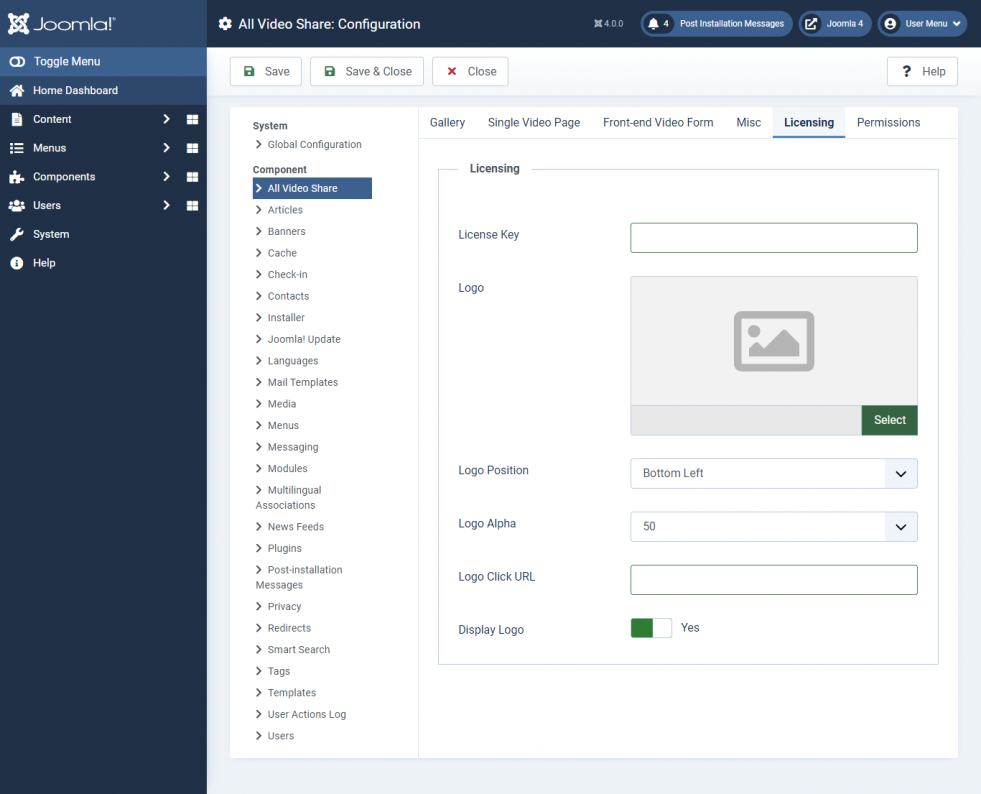
Your All Video Share license key. Required for automatic updates. See Adding Your License Key.
—
Logo Image
A watermark image to display over the player.
—
Logo Position
Corner of the player the watermark sits in: Top Left, Top Right, Bottom Left or Bottom Right.
Bottom Left
Logo Alpha
Opacity of the watermark, from 0 to 100.
50
Logo Click URL
Address the viewer is taken to when the watermark is clicked.
—
Display Logo
Show or hide the watermark.
Yes
Custom CSS:
Properties
Description
Default
Load Bootstrap CSS
Load All Video Share’s own grid stylesheet. Turn this on only if your template’s grid is not styling the gallery correctly.
No
Custom CSS
Your own CSS rules, to change the look of the component’s front end. All All Video Share classes start with avs-.
—
Permissions:
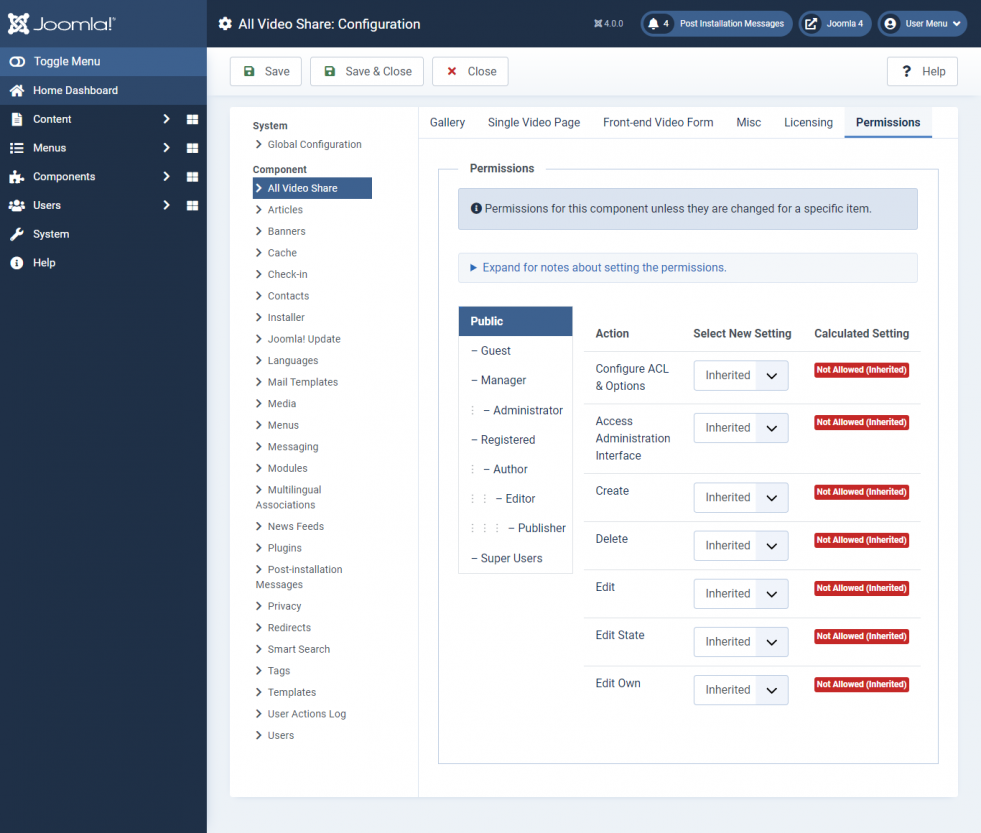
Here you can set user capabilities for all user groups that are available on your site.
To disable Auto Approve User Videos for registered users, select the user group (for example Registered), set Edit State to Denied and save. Videos submitted by that group then stay unpublished until an administrator approves them.