
The Automatic YouTube Gallery fetches videos from YouTube as your page loads, and YouTube requires an API key to do that. The key is free, takes a few minutes to create, and only needs to be set once for your whole site.
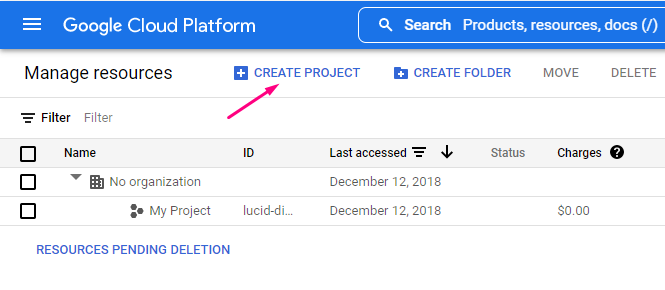
1. Login to https://console.developers.google.com/project and click Create Project:
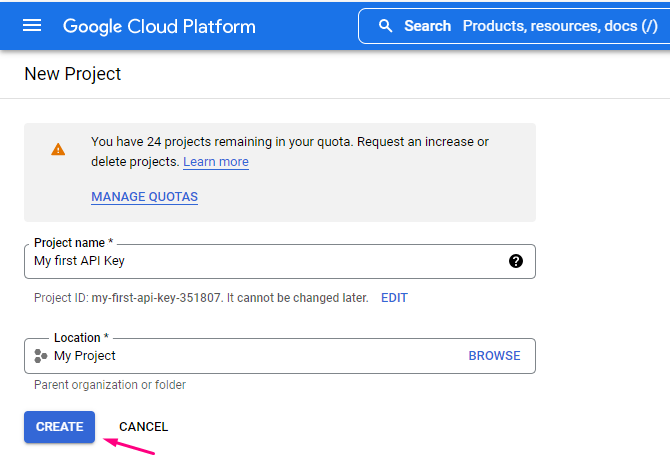
2. Here you need to fill in the project information and click Create:
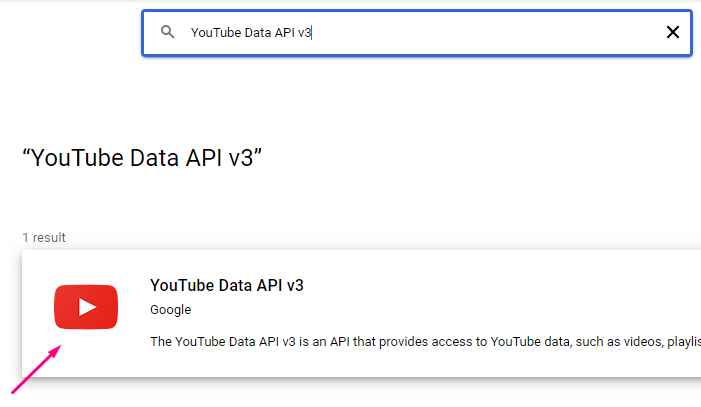
3. Now go to Google API library https://console.cloud.google.com/apis/library, select your project and find YouTube Data API v3 in the list and click it:
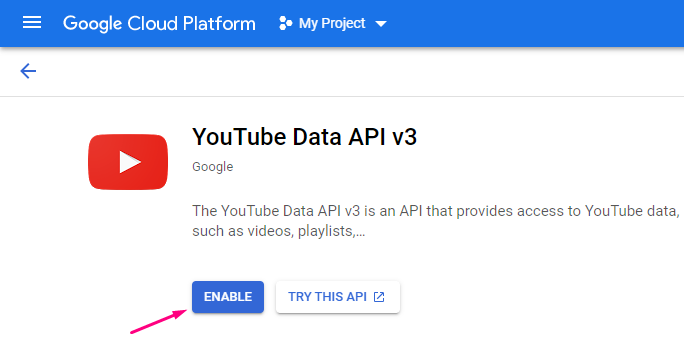
4. Click Enable:
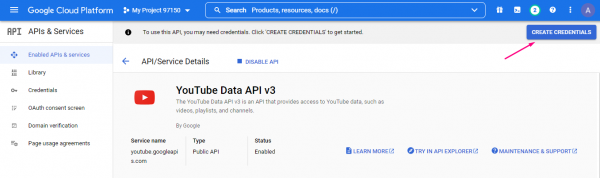
5. Click Create Credentials:
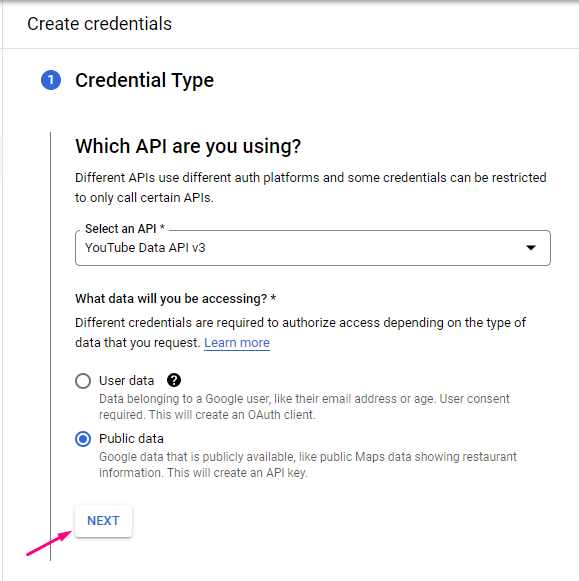
6. Here create the credentials for the API Key and click Next:
Done! You’ve got your YouTube API key! Copy it — you will paste it into All Video Share in a moment.
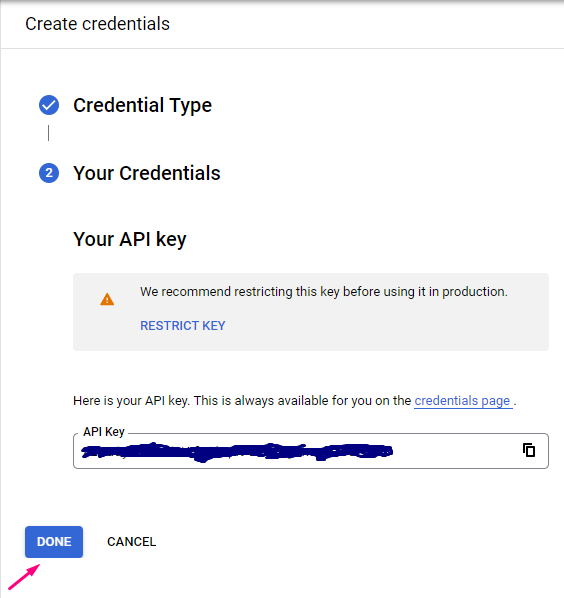
Recommended: before leaving the Google Console, click Restrict Key. Under API restrictions limit the key to YouTube Data API v3, and under Application restrictions choose HTTP referrers and add your own domain. An unrestricted key can be used by anyone who finds it, and their requests count against your daily quota.
Add the created YouTube API Key in All Video Share
1. Open your Joomla admin
2. Go to Components –> All Video Share –> Videos and click the Options button at the top right corner. (You can also reach the same screen from System –> Global Configuration and choosing All Video Share in the list on the left.)
3. Open the API Keys tab and paste your key into the “YouTube API Key” field
4. Click Save & Close at the top of the page
That’s it, you have done. The key is used by every YouTube gallery on your site — menu items, modules and article shortcodes alike — so you only need to set it once.
About the free quota
Google gives each project 10,000 free units per day. A typical playlist or channel request costs 1 unit, so this is plenty for most websites — but a busy site with several galleries can still run out, and the galleries stop working until the quota resets.
All Video Share caches every API response for you, so set a sensible Cache Time on each gallery rather than requesting fresh data on every page view. See Embedding a YouTube Channel / Playlist for more on caching.
If your gallery is not showing recently added videos, clear the stored responses with the Clear API Cache button, on the same API Keys tab where you pasted the key.