
Your license key connects your site to our update server, so Joomla can tell you when a new version of All Video Share is available and install it for you. It also unlocks the Logo Click URL setting, so the watermark on your player links to your own site rather than ours.
On This Page
Where to Find Your Key
Your key is in your account on our website. Sign in with the address you used when you bought All Video Share and you will find it listed there, ready to copy.
Copy it carefully. A stray space at either end is the usual reason a key appears not to work.
Adding the Key
- Log in to your Joomla administrator.
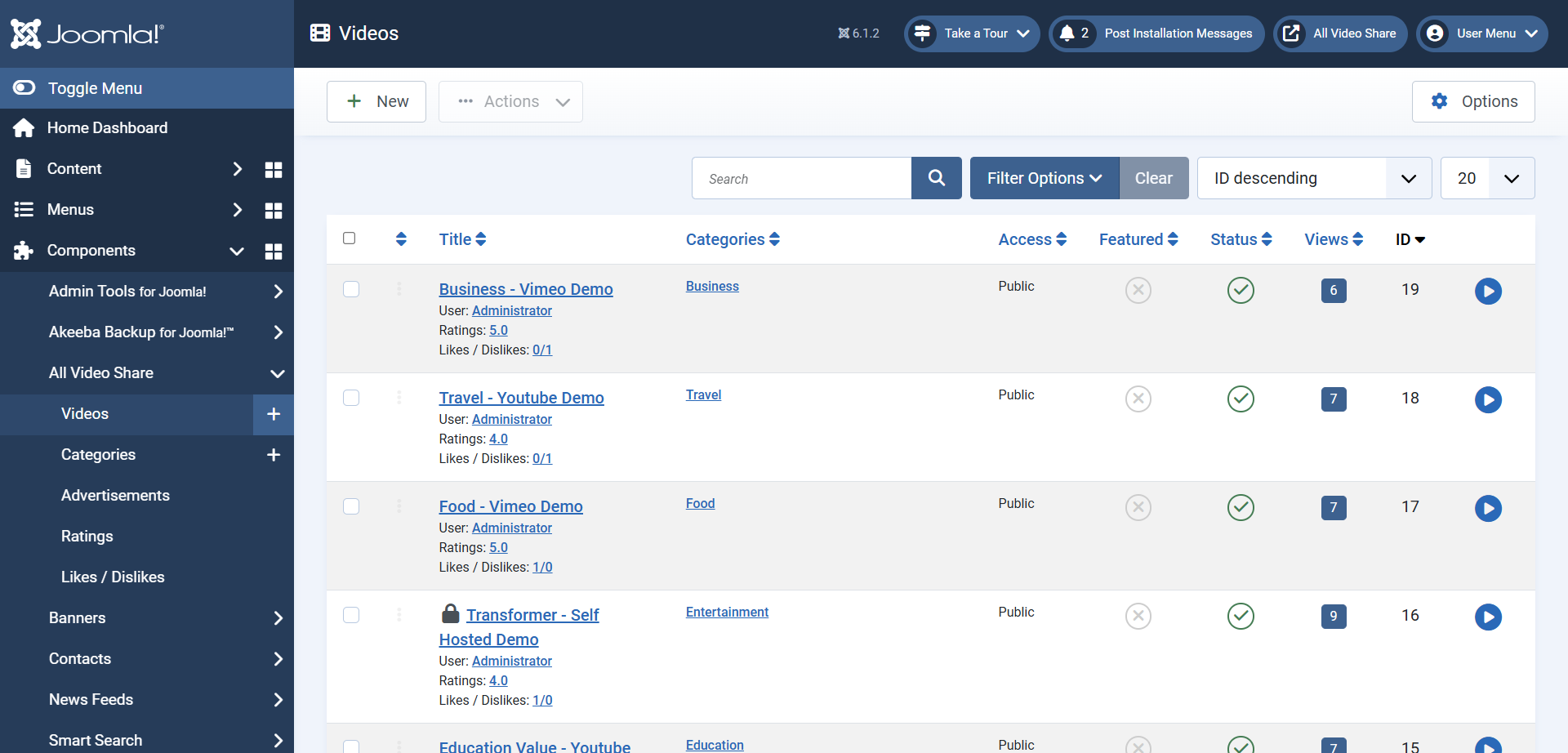
- Go to Components → All Video Share → Videos.
- Click the Options button at the top right of the screen.
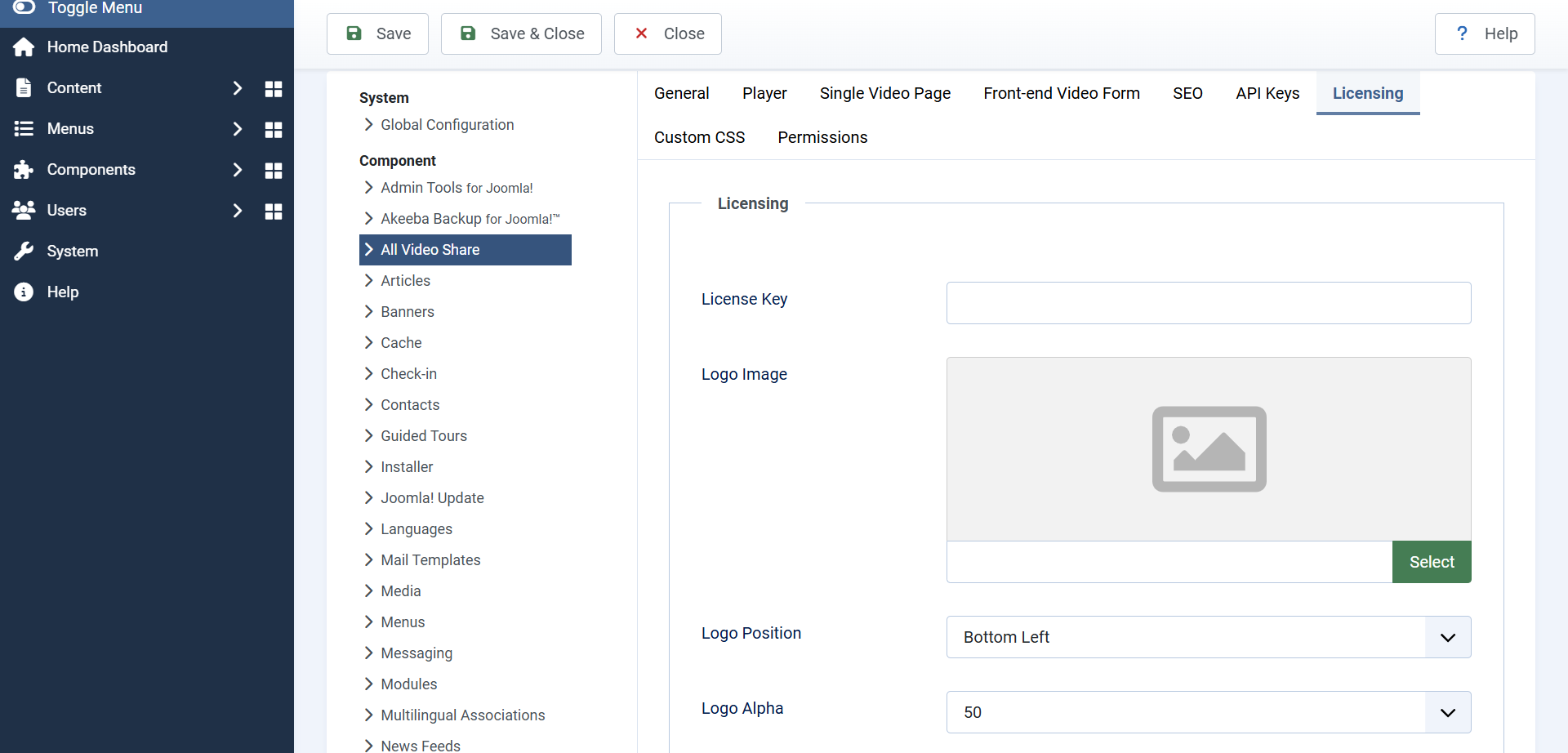
- Open the Licensing tab.
- Paste your key into the License Key field and click Save & Close.
That is all there is to it.
The Logo Watermark
The Licensing tab also holds the settings for the watermark shown over your player — your own logo, sitting semi-transparent in a corner of the video, the way broadcasters do it.
- Display Logo — whether the watermark appears at all.
- Logo Image — the image to use, chosen from your media library. A PNG with a transparent background works best.
- Logo Position — which corner it sits in: top left, top right, bottom left or bottom right. Starts at bottom left.
- Logo Alpha — how solid it is, from 0 to 100. Lower is more transparent, and around 50 keeps it visible without competing with the video.
- Logo Click URL — where a viewer is taken when they click the watermark, such as
https://www.mysite.com/.
Logo Click URL needs a license key. Until a key is saved, clicking the watermark takes the viewer to our website whatever you enter here. Add your key and the setting takes effect.
Keep the image small and simple. A logo that is too large or too solid quickly becomes an annoyance, particularly on a phone where the player is only a few centimetres across.
Checking for Updates
Once your key is saved, go to System → Update → Extensions and click Check for Updates. Any new version of All Video Share is listed there, and installs with one click.
Updates install over your existing version and keep all of your videos, categories and settings.
Never uninstall All Video Share in order to update it. Uninstalling drops the database tables and permanently deletes your videos, categories, ratings and likes. Always install the new version over the existing one.
Common Questions
I added my key but the premium features are still not available
The license key does not turn a free installation into the premium one — they are separate packages. If you are seeing premium-only notices, download the premium package from your account and install it over your current version. Your content and settings are kept.
My watermark still links to your website
The Logo Click URL only takes effect once a license key has been saved. Check the key is entered correctly on the Licensing tab, with no spaces at either end, then reload the page.
Joomla is not offering me any updates
Go to System → Update → Extensions, click Clear Cache, then Check for Updates again. Joomla remembers the update list for a while, so a newly added key is not always picked up straight away.
Do I need a key to use All Video Share?
No. Everything works without one. A key gives you update notifications inside Joomla and control over where the watermark links.