
A video page can do more than play a video. All Video Share counts how often each one is watched, and can add a comment section underneath so visitors can talk about what they have seen.
On This Page
View Counts
Every time someone watches a video, All Video Share adds one to its view count. This happens on its own, with nothing to switch on.
A visitor is only counted once per video per visit, so somebody who replays the same clip five times does not inflate the number. Come back tomorrow, though, and that counts again — the same way most video sites work.
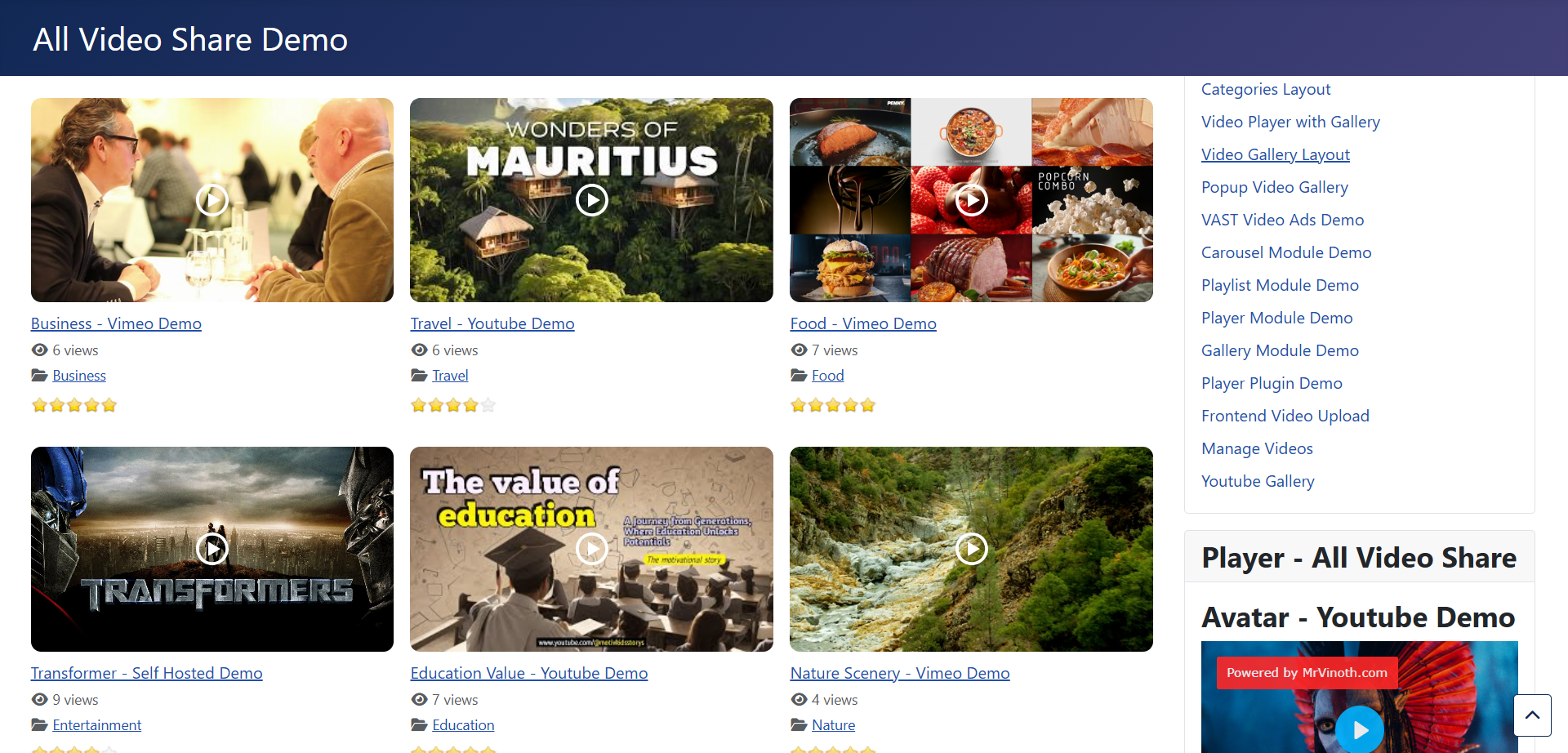
Showing the Count
Counting always happens; showing the number is up to you. The Views Count setting appears in your global Options and on every menu item and module, so you might show the figure on a busy page and hide it on a quiet one.
That is worth thinking about on a new site. A row of videos each showing “3 views” says something you probably did not intend. Hide the counts until your library has built up an audience, then turn them on.
Changing a Count
The count is an ordinary field on the video form, so you can type whatever you like into it.
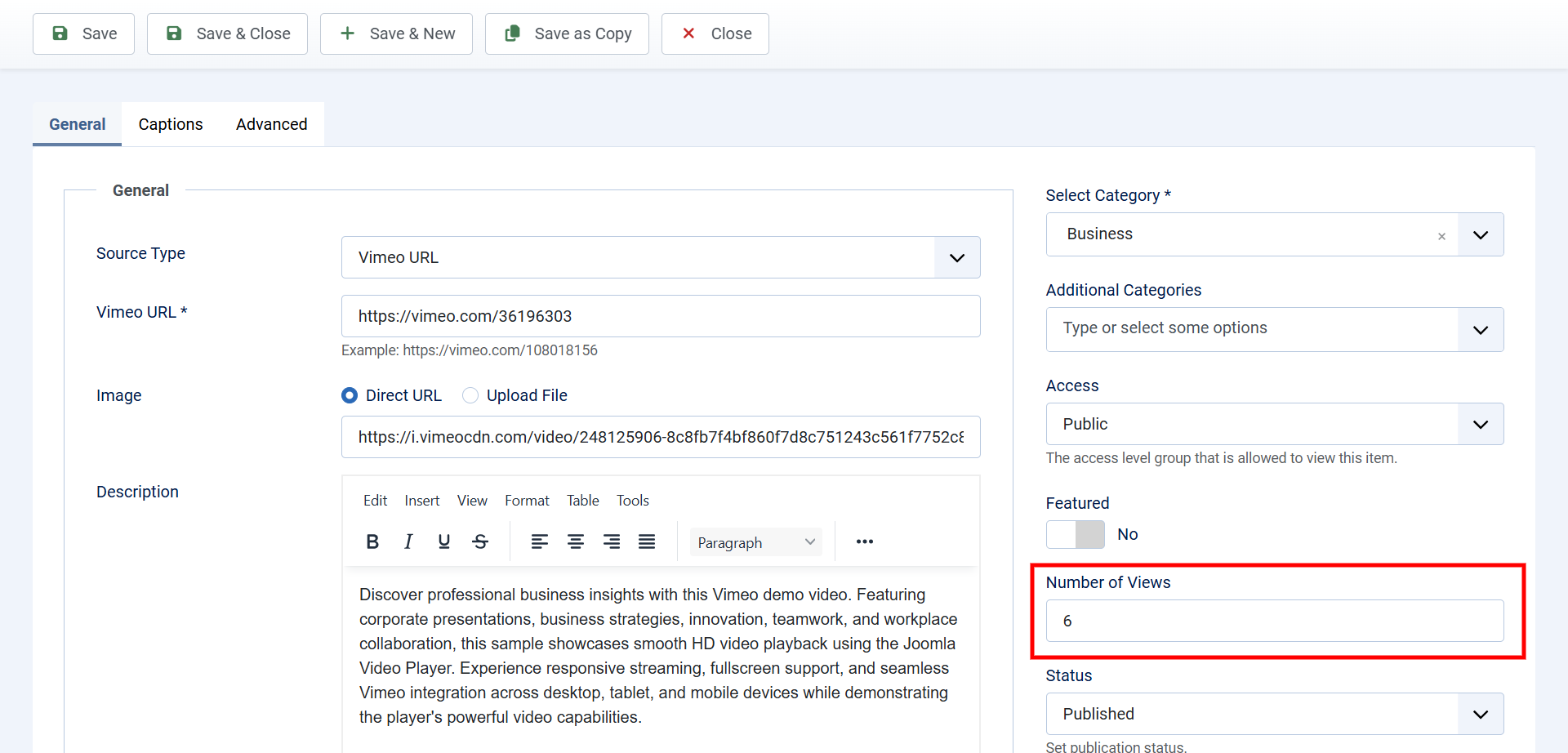
The honest use for this is moving house. If a video already had thousands of views somewhere else, starting it at zero on your new site throws away real history, and setting it to the figure it earned is fair enough.
Sorting by Popularity
Set any gallery’s Order By to Most Popular and your most watched videos rise to the top automatically. It is an effective home page module — a “most watched” strip that never needs maintaining.
Ratings and Likes
Alongside view counts, All Video Share can let visitors score videos out of five stars, or give them a thumbs up or down.
Premium features. Both ratings and likes are part of the premium version. They are explained in full on the Premium Features page.
In short: ratings give you an average score and a Most Popular (by ratings) sort order, likes give you a thumbs up and down with running totals and a Most Popular (by likes) sort order, and both can be opened to visitors who are not logged in.
Adding Comments
All Video Share does not have a comment system of its own. Instead it makes room for one beneath your videos and hands over to whichever system you already use.
Go to Options → Single Video Page → Comments and set Comments Type. There are four choices: none at all, Facebook, Komento, or JLex Comment.
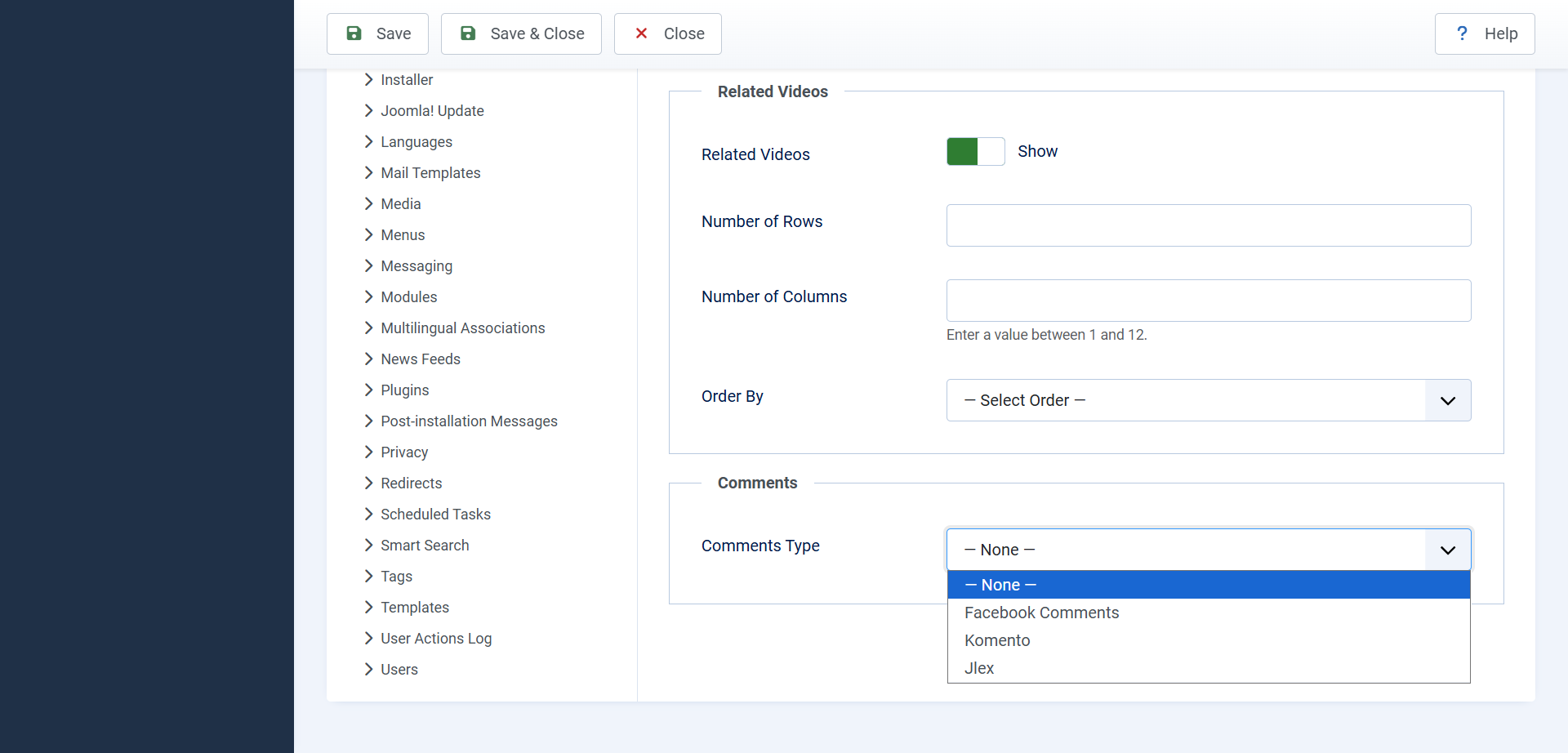
Whichever you pick, comments belong to the individual video, so each one collects its own discussion.
Facebook Comments
Facebook comments are the quickest to set up and need nothing else installed. Visitors comment with their Facebook account, so there is no sign-up on your site and very little spam.
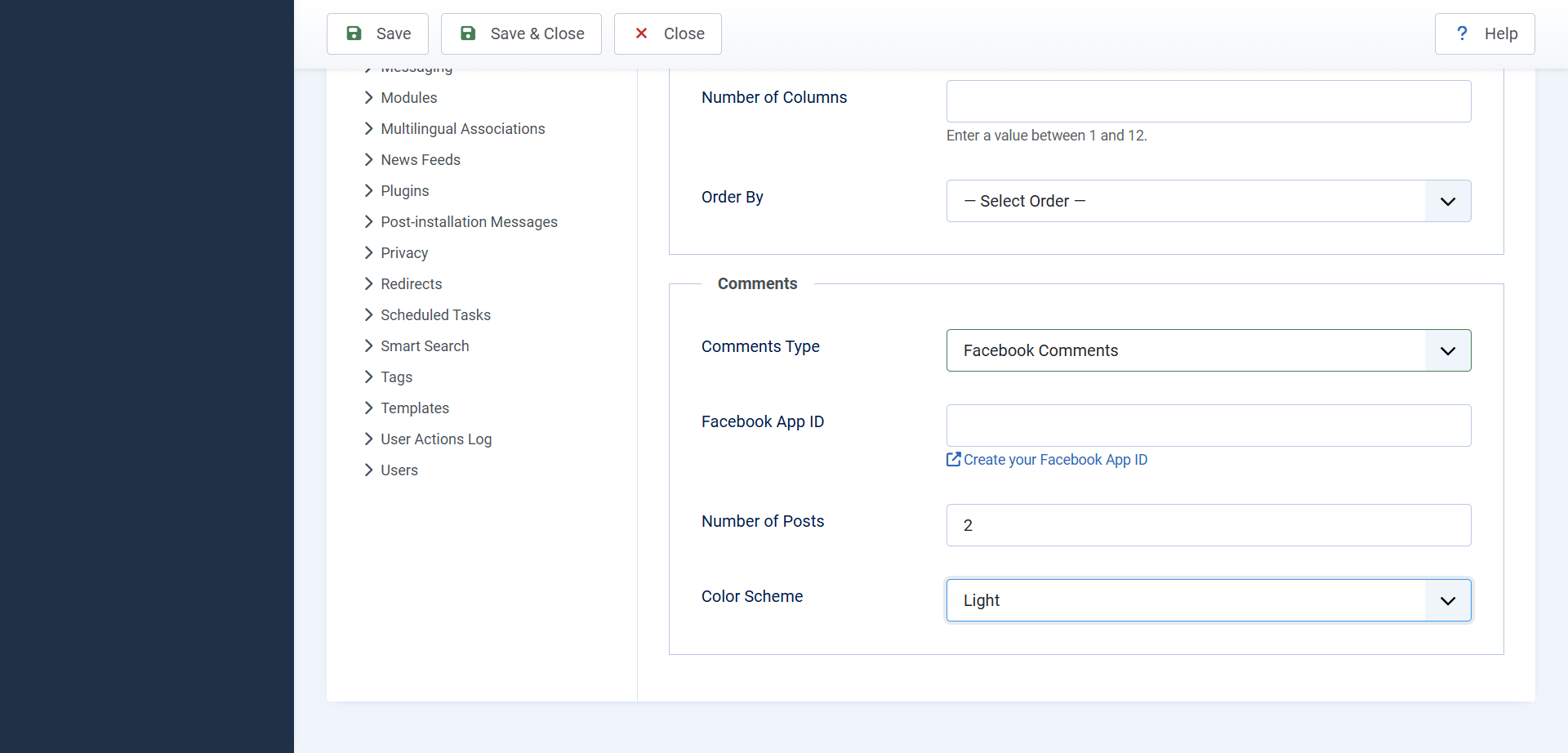
You need a Facebook App ID, which is free. Create one through the Facebook developer site, then paste it into the setting of the same name.
Two further settings control how the box looks:
- Number of Posts — how many comments are shown before visitors have to ask for more. Five is the default and works well.
- Colour Scheme — light or dark, to suit your template.
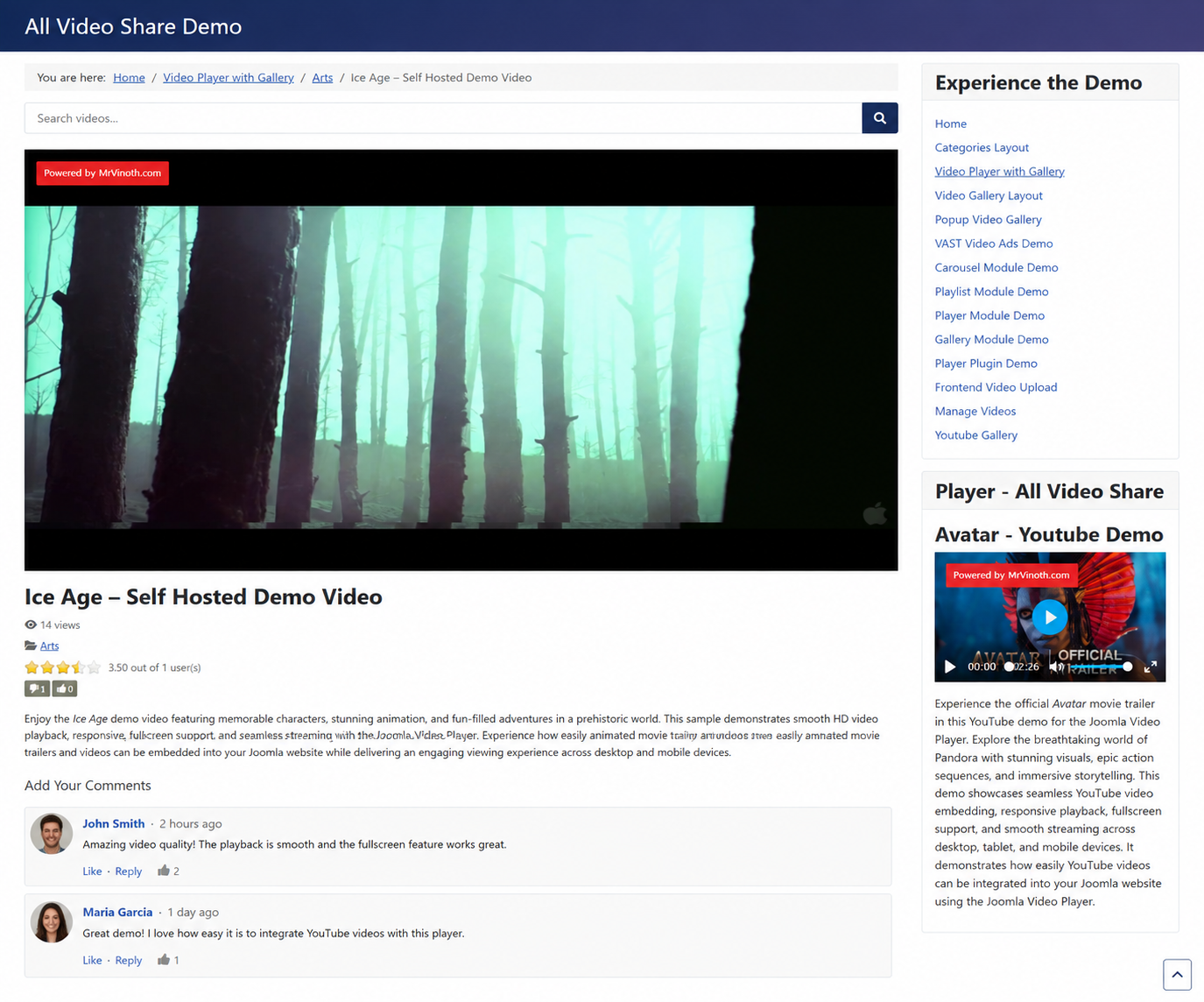
Two things are worth knowing before you commit. The comments live on Facebook’s servers rather than yours, so moving away later means leaving them behind. And because the box loads from Facebook, it sets cookies for visitors — something to mention in your privacy policy if you are in Europe.
Komento and JLex Comment
Komento and JLex Comment are Joomla comment extensions. They are separate products, made by other developers, and each has to be bought and installed before All Video Share can use it.
Once one of them is installed and working elsewhere on your site, connecting it here takes one step: set Comments Type to that system and save. All Video Share does the rest.
Everything else — moderation, notification emails, who may comment, how the box looks — is managed inside that extension, not here.
The advantage over Facebook is that the comments are yours. They sit in your own database, they can be moderated by you, they are visible to search engines, and they carry on working whatever Facebook decides to do next.
If you choose one of these and nothing appears, the extension itself is almost certainly not installed or not enabled. Check it is working on an ordinary article first, then come back.
Which Should You Choose?
If you want comments running this afternoon and your audience is on Facebook, choose Facebook. It costs nothing, needs no extra software, and moderation is handled for you.
If the discussion matters to your site in the long term — because it is part of what people come for, or because you want it indexed and under your control — a Joomla comment extension is the better investment.
And it is perfectly reasonable to leave comments off. A video library with no audience yet gains nothing from an empty comment box under every page, and you can always switch one on later.