
Check the below steps to add your License Key and make it Pro Version:
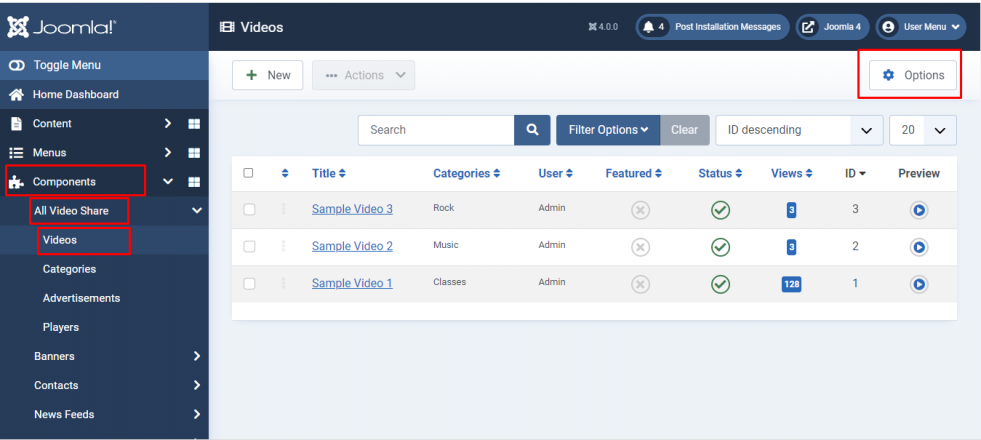
- Login to your Joomla backend
- Select Components –> All Video Share –> Videos
- Here at the right top, you will have the Options button. Please click it
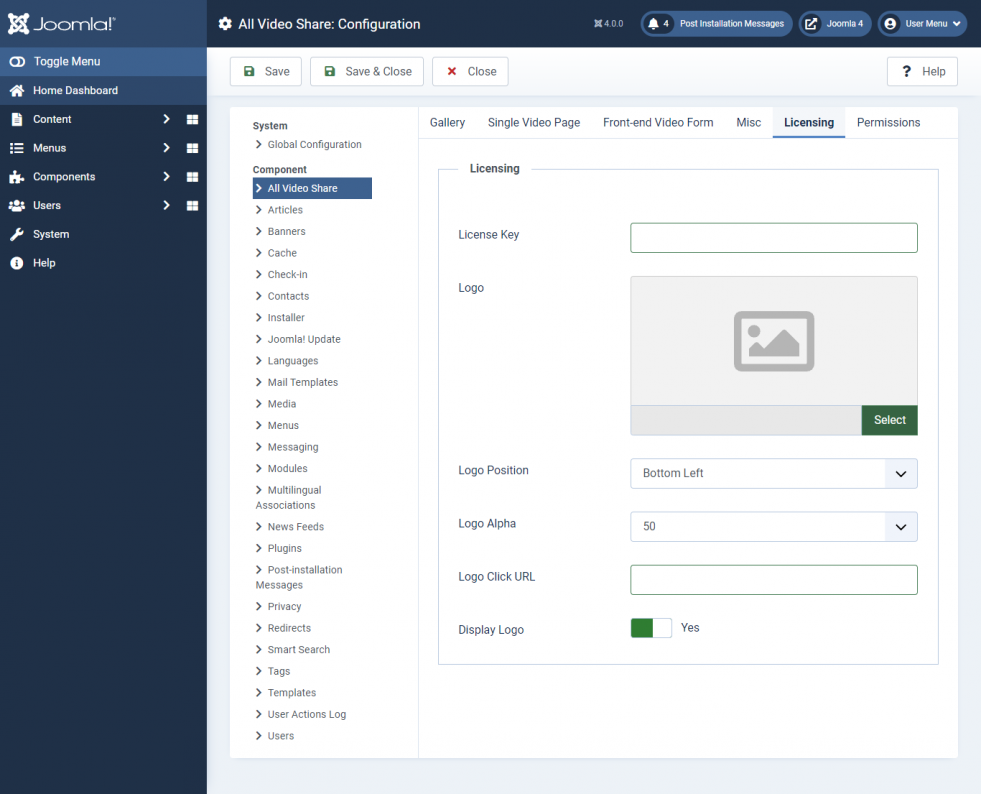
- Here goto Licensing tab
Licensing
| Properties | Description | Example |
|---|---|---|
| License Key | Add your License Key | Key |
| Logo | Add your Logo | Yes |
| Logo Position | Select the Logo Position | Bottom Left |
| Logo Alpha | Select the Logo Alpha | 50 |
| Logo Click URL | Enter the URL where you need to redirect when the Logo clicked | https://allvideoshare.mrvinoth.com/ |
| Display Logo | Enable/Disable Logo | Yes |